Aggregating and Filtering Web Sources

Trying to keep up with information on a topic via web sources is time consuming. While RSS feeds make it easier to find just the new information, there is still a lot of wasted time when feeds contain additional topics that don’t interest you. The solution is to filter feeds so that only the topic of interest is included. Some blogs allow you to filter the content by providing separate RSS feeds for each category of posts. Here’s how to get a feed of just the cartography category from this blog.

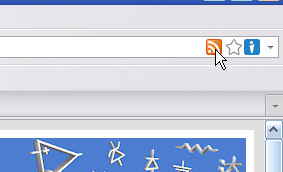
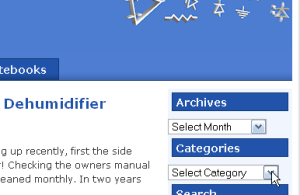
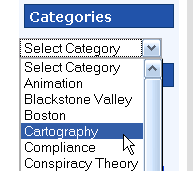
  1. Select the category you want from the dropdown list in the right sidebar.
    RSSfilter1 RSSfilter2
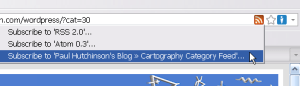
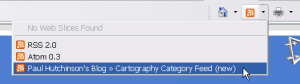
  2. Select the category feed from the RSS selector icon (Firefox on left, Internet Explorer on right).
    RSSfilter3F RSSfilter3IE
    RSSfilter4F RSSfilter4IE
  3. Finally, subscribe to the selected feed with your favorite feed reader, I use Google Reader. To follow other categories from the blog simply repeat these steps.

This works well for RSS sources that have category, tag or label specific RSS options, but many sites don’t have this feature. For sites without the feature you can use the filtering power of Yahoo! Pipes. Take a look at this Pipes filtered feed I created for a Blogger hosted Blog. Yahoo! Pipes provides an RSS feed of the output (as well as many other formats) that you can subscribe to in a feed reader.

Filtering feeds saves me time, but my feed reader still has too many items in the subscription list. Organizing my subscriptions by creating folders for topics in Google Reader helps reduce visual clutter and allows me to ignore less important topics when I’m busy. A more effective way of dealing with the long list is to aggregate multiple feeds with a Yahoo! Pipe. For example I have a single subscription to a pipe that combines 15 different sources about the people of, and places in, the Blackstone River Valley.

The Blackstone River Valley pipe aggregates these feeds:

If you know of other sources that belong in this pipe please leave a comment or send me an email. You may also like this aggregation of Blackstone Valley photos from five Flickr feeds.

One final note about Yahoo! Pipes, they don’t always seem to run completely when Goggle Reader first queries them (I think it’s a timeout issue). So I make it a habit to click on the pipes subscriptions occasionally even when there are no new items indicated. This sometimes finds updates to the pipe feed that were missed during previous polling by Google Reader.

Why You Should Clean the Air Filter in a Dehumidifier

A Sunbeam DHC-20M Dehumidifier in the basement started acting up recently, first the side cover was getting hot then there was water leaking on the floor! Checking the owners manual I saw that it has a washable air filter that they recommend be cleaned monthly. In two years of use I’d never cleaned the filter, oops!

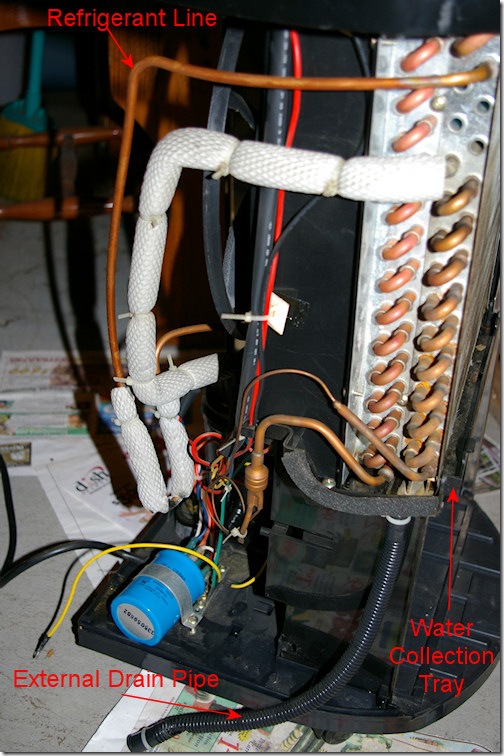
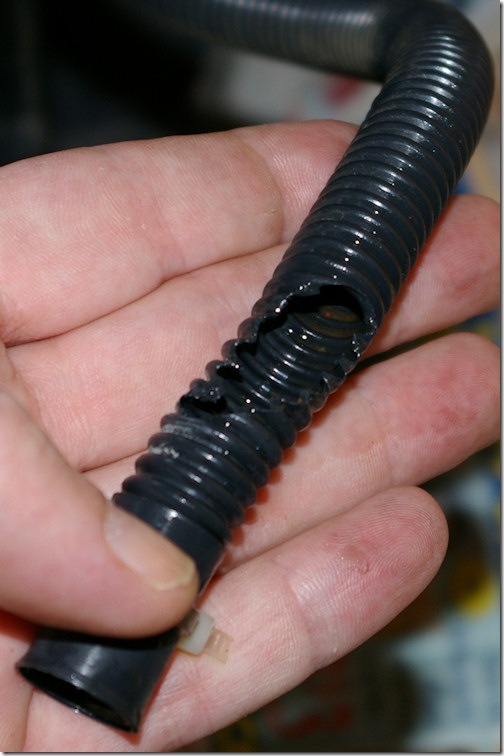
Disassembling the dehumidifier I found that the blocked filter had caused a refrigerant line to overheat melting the insulation installed over the copper tubing. The melted insulation allowed the plastic pipe for the optional house drain connection to melt causing the water leak.

IMGP7927s_thumb

IMGP7915s_thumb

IMGP7923s_thumb

I removed the damaged insulation and carefully scraped off the melted plastic from the soft copper tubing. Next I took off the drain pipe and cut down the rubber stopper from the back panel so that it worked to stop the outlet of the water collection tray (I don’t use the optional external drain). After reassembly the dehumidifier works perfectly and now that I’ll remember to clean the air filter it should use a little less electricity too.

Warning about Green Laser Pointers

The NIST has just released a report and warning about a serious safety issue with some green laser pointers.

Late last year, the research team purchased three low-cost green laser pointers advertised to have a power output of 10 milliwatts (mW). Measurements showed that one unit emitted dim green light but delivered infrared levels of nearly 20 mW, powerful enough to cause retinal damage to an individual before he or she is aware of the invisible light.

NIST’s researchers have devised a simple test that you can do yourself to make sure your green laser pointer is safe (see the full report).

Update of the Old YouTube Full Screen Post

Back nearly two years ago I put up a post about how to work around the YouTube full screen view terminating at the end of each video in a playlist. That post has remained very popular but currently is largely irrelevant.

That post was inspired by my laziness, I got sick of having to click the full screen icon after each ten minute segment of the chopped up documentaries I was watching. I kludged together a way to get what I wanted by creating a local html file and watching from there.

Reviewing the current YouTube site I found good news and bad news. First the good news, the html kludge is no longer needed. While I can’t get a playlist to run from a channel page, I could hand craft a URL to run it from YouTube where it will stay in full screen mode as the videos change.

grid_iconHere’s how I did it, first you get the ID for the playlist. Click the grid view icon in the upper right then click the playlist you want to watch. This will give you the playlist URL like this: http://www.youtube.com/user/paulhutch00#grid/user/3533EAF39D4A0E3B.

Copy the playlist ID from the end of the URL to use in a hand crafted URL of this format: http://www.youtube.com/view_play_list?p=XXXXXXXXXXXXXXXX&playnext=1. By replacing the XXXXXXXXXXXXXXXX in the URL template with the playlist ID you copied you get a URL that will let you play the whole playlist without dropping out of full screen mode.

fs_buttonFor the example I’m using, the resulting URL is: http://www.youtube.com/view_play_list?p=3533EAF39D4A0E3B&playnext=1. If you click that link then, click the full screen button in the lower right of the video window, the play list will play full screen and continue in full screen as the videos advance through the playlist. This solves the problem for me, I’m happy to no longer need a kludge html file to make this work.

If you are an ambitious channel creator you can make this easier on your visitors by embedding this hand-made URL in a placeholder video’s description. For an example see the JamesBurkeWeb’s YouTube Channel, great job!

Now the bad news, first the HD modes will not stay set while watching a playlist. When the next video plays it falls back to standard definition. The other bad news for users is that some copyright holders block the embedding of their videos. From what I could figure out, when video embedding is blocked you cannot make a playlist with the video. I believe this is why the Derren Brown playlist I had on my channel stopped working. I can’t blame YouTube for this, if a copyright holder wants it this way YouTube has to oblige them, it’s the law.
Happy World Metrology Day

WMD_2010_smallToday is the 4th annual World Metrology Day sponsored by the Bureau international des poids et mesures (BIPM, International Bureau of Weights and Measures) and Organisation Internationale de Métrologie Légale (OIML, International Organization of Legal Metrology).

From the press release:

As the world strives to move on from its recent financial problems, and as Governments work to regenerate economies, we shall find that science and technology are the engines of economic growth and prosperity. These, in turn, rely on being able to measure correctly and to refer measurements to the same international reference standards. A world without accurate measurement is a world where science, technology, trade and society can’t communicate and where error and uncertainty would reign supreme.

For an excellent introduction to the subject read, Metrology – In Short by the European Association of National Metrology Institutes (EURAMET).

I Tried Facebook

I signed up for Facebook to LOL at some idiotic comments pointed out by the JREF Forums about a month back. Then I spent some time getting the profile information set up since some of my family was using it already. Facebook finally exceed my tolerance for badly designed web services when I was unsuccessful in adding a profile picture after multiple attempts over 30 minutes this morning. I then tried adding the same photo to my Google Profile and sure enough it took only a few seconds to get it done. So I’ve deleted my Facebook account so that I don’t waste any more time on a badly setup web service which didn’t provide me with useful features anyway.

Help out HPC:Factor

The HPC:Factor website has been one of the top resources for Windows based Handheld PC’s for over a decade. With great articles and a very helpful support community they have made maintaining these still very useful HPC’s a reality. Although Microsoft dropped these devices a long time ago the good people at HPC:Factor have been filling the gap by archiving materials no longer available from Microsoft.

They need to upgrade their server and can’t afford to do it on their own so please head on over to the post HPC:Factor needs your help and donate what you can afford, Thanks.

Firefox Research Extension

I’ve been using the Zotero research extension for Firefox for about six months and find it extremely helpful. Zotero makes it easy to store, organize, annotate, search and cite internet references for any research project. Zotero comes form the Center for History and New Media at George Mason University and is sponsored by the United States Institute of Museum and Library Services, the Andrew W. Mellon Foundation, and the Alfred P. Sloan Foundation.

For me the most important reason to use Zotero is to protect your research sources against disappearing from the net. This aspect saved my butt quite a bit last year when GeoCities was closed and a number of good information sources I had found vanished. With copies of the references safely stored in Zotero on my local PC I didn’t have to worry about manually scraping the sites before they closed or trying to find them in the WayBack Machine at Archive.org.

To help keep multiple projects organized I use Firefox profiles to give me separate Zotero databases for each project. I use my default user profile for Blackstone Valley research and then created new profiles named GWPresTour and WorkResearch for my two other active research projects. To use the other profiles I created desktop shortcuts with command lines like this: “C:Program FilesMozilla Firefoxfirefox.exe” -P “GWPresTour”.

I did find one feature of Zotero a little bit annoying, the annotation toolbar that gets added to Firefox whenever you view a saved snapshot. It takes up a bit too much screen real estate and can not be toggled on and off with Firefox’s toolbars menu. A fix for this is in the last message of the Hide annotation toolbar thread at the Zotero Forums. By using the Stylish Firefox Extension I can toggle the annotation toolbar on and off easily now.

Blogroll Update

I’ve updated my blogroll and linked it to Google Reader to simplify maintaining the list. The following blogs have been added, most I’d been reading for a while but hadn’t remembered to add to my blogroll. OpenOffice.org Training, Tips, and Ideas, Gruts, Allusions of Grandeur, OpenOffice.org Ninja, Skeptical Software Tools, ZooBorns and EFF.org Updates. Actually I think Allusions had been on the list before but had fallen off due to inactivity. I’ve also added a separate category for comic strips that includes these new listings, Jesus and Mo and SketchBlog!.

One blog has changed, Steve of the IntelliAdmin blog has split the old blog by adding Network Steve, read Steve’s explanation here. Finally two blogs have gone silent for a long time now so they have fallen off the list, 95% Of You Are Morons and Hyphoid Logic. I’m keeping them on my readier subscriptions so if they come back I can put them back on the list quickly.